
NITComply is NDIS staff training software that sits in the same system as your other compliance records. Managers assign courses and then see what is pending and completed. Certificates stay with the worker they belong to.
NDIS providers train workers on induction, the NDIS Code of Conduct, incident reporting, medication, manual handling, infection control and more. However, the training often happens in one place and the certificates arrive in another. Meanwhile, the list of who still needs what lives in a spreadsheet. As a result, when a coordinator or auditor asks whether a worker has finished a course, someone has to piece the answer together. In contrast, Staff Training in NITComply keeps assignments, completions and certificates together. So your team can look at the current position rather than rebuild it.
Managers assign courses to workers, so everyone knows what they are expected to complete.
The NITComply Course Library gives your team a ready starting point. For example, it has courses on common NDIS support work topics, alongside any courses your organisation adds.
The Staff Training view shows how many assignments are pending and how many have been completed.
Completed training can be viewed with its certificate, so evidence is easier to find when it is requested.
The Staff Training view shows the total number of courses, the assignments still pending and the training already completed. From the same screen, managers can assign training to workers or create a new course. In addition, they can open completed training to view and download certificates.
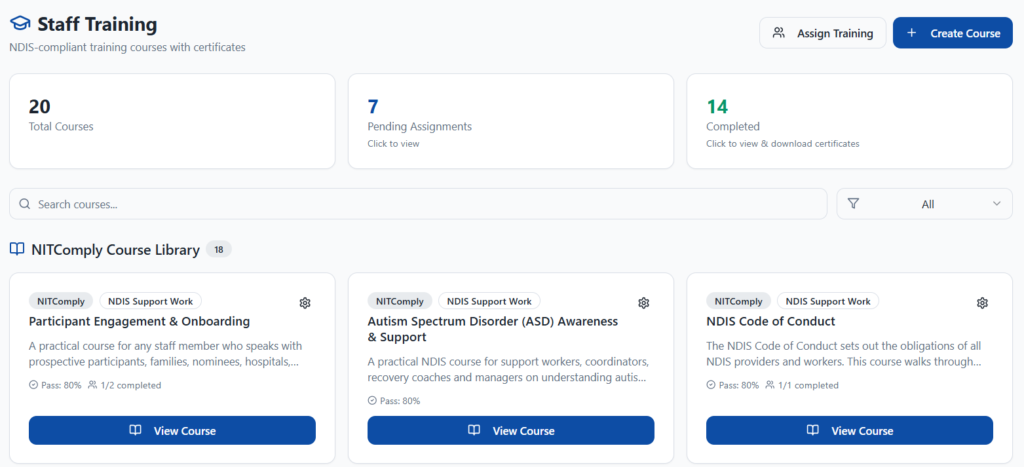
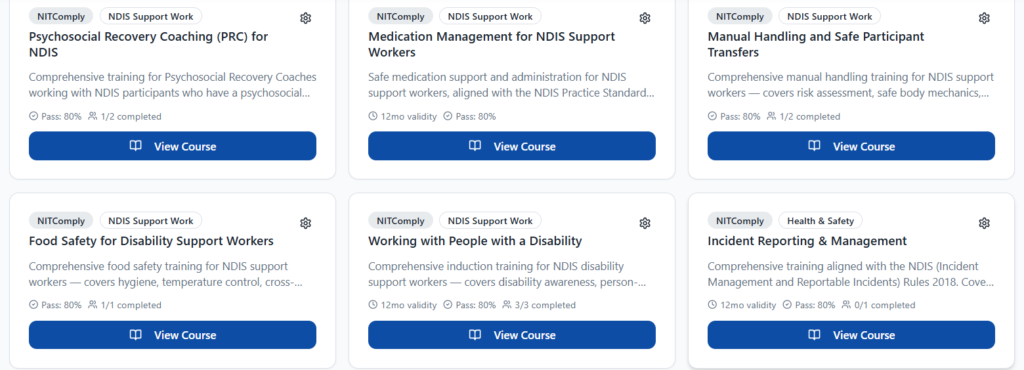
The NITComply Course Library covers topics NDIS support workers commonly need. These include the NDIS Code of Conduct, working with people with a disability, medication management, manual handling and safe participant transfers. In addition, the library covers incident reporting, infection control, emergency and disaster management, risk management and support coordination. Each course also shows its pass mark. Some courses also have a validity period, such as 12 months, so you can see when training should be refreshed.
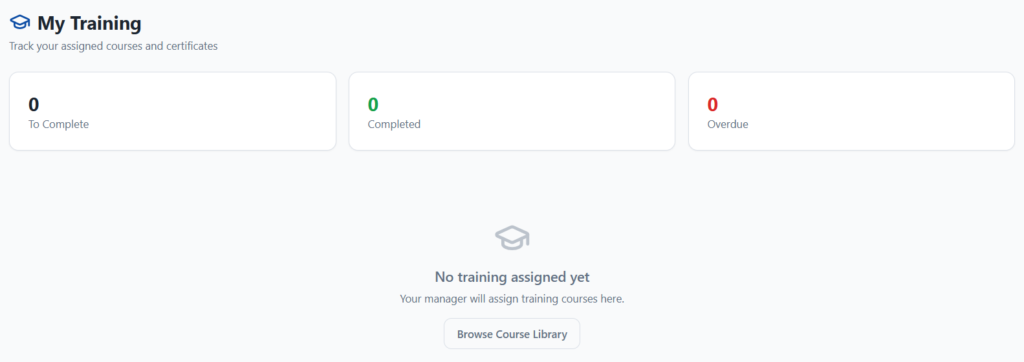
Each worker has a My Training view. It shows the courses they still need to complete, the ones they have finished and anything overdue. It also holds their certificates, so nothing needs to be chased. Workers can browse the Course Library from there too.
Your organisation can also create its own courses alongside the Course Library. For example, you can train workers on your internal policies and procedures. You then assign these courses in the same way.
First, pick courses from the NITComply Course Library or create your own organisation courses.
Next, assign the courses each worker needs from the Staff Training view.
Then workers see what they need to complete and work through the course and its assessment.
Finally, managers see pending and completed training and can view and download certificates.
Yes. The NITComply Course Library includes courses on common NDIS support work topics, and your organisation can add its own courses as well.
Yes. Completed training can be opened to view and download its certificate.
Tell us which training your workers need to complete and we will show you how Staff Training would work across your organisation.