
NITComply keeps your NDIS compliance registers, expiry dates and audit evidence in one place, and shows each item’s status so your team knows what to review.
Many NDIS providers choose to keep several registers, for example for risks, incidents and complaints. However, these registers often sit in separate spreadsheets. As a result, an expired item can go unnoticed until an audit. NITComply brings your registers into one view. That way, your team can see what is valid, what is due soon and what has expired.
For the official standards, see the NDIS Quality and Safeguards Commission.
Keep risk, incident, complaint, feedback, insurance and other registers together.
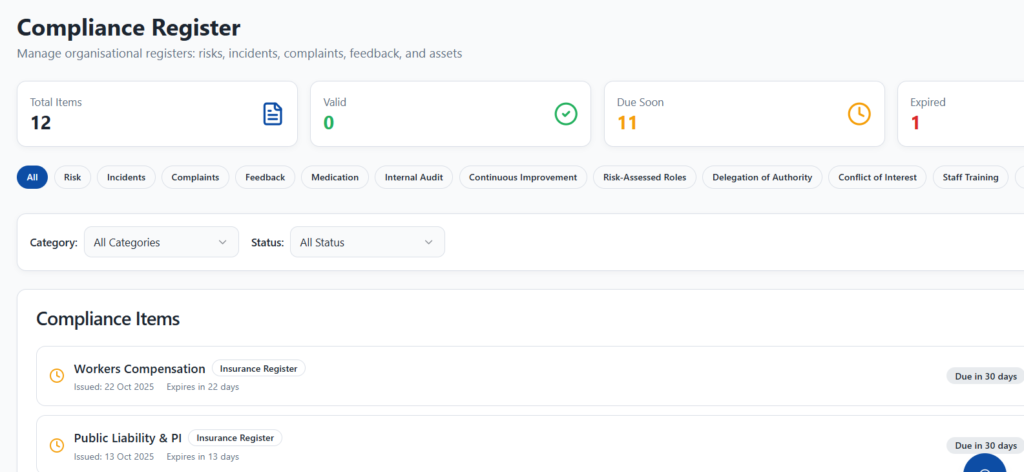
Each item shows whether it is valid, due soon or expired.
The dashboard links governance weaknesses to the NDIS Practice Standards.
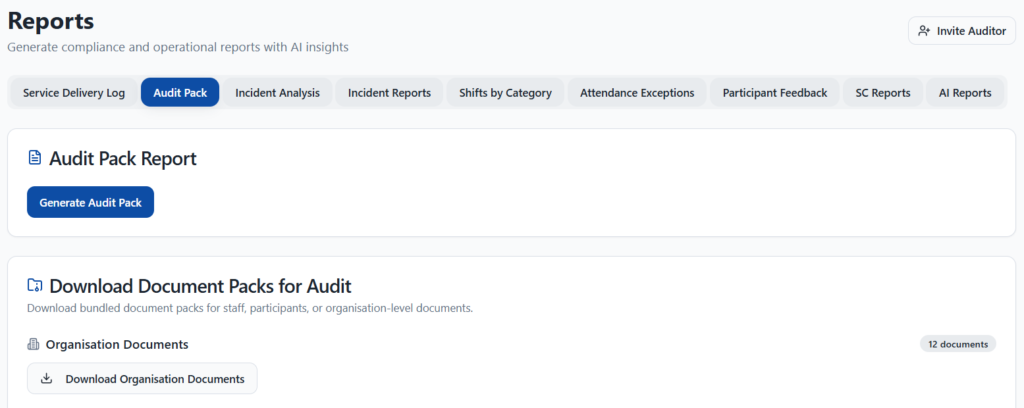
Generate an audit pack and download bundled document packs for your auditor.
The Compliance Register holds your organisational registers, including Risk, Incidents, Complaints, Feedback, Medication, Internal Audit and Continuous Improvement. It also covers Risk-Assessed Roles, Delegation of Authority, Conflict of Interest, Staff Training, Insurance and Assets. In addition, each item shows its issue date and expiry, and the counts show how many items are valid, due soon or expired. You can filter by category or status, then download or edit an item.
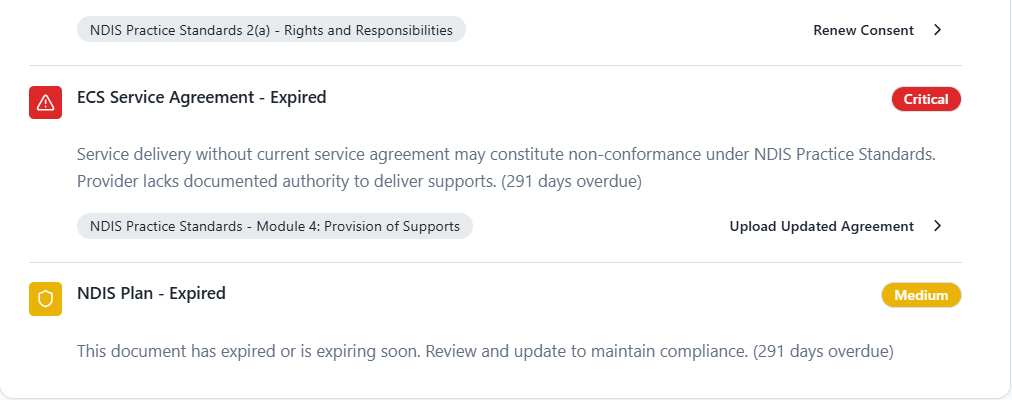
The dashboard gives an overview of your compliance and operations. For example, it flags governance weaknesses such as an expired consent or service agreement. Each issue shows a severity, the related NDIS Practice Standard and a clear next step, such as renewing consent. As a result, your team can fix the most serious gaps first.
When an audit is coming up, the Reports area lets you generate an audit pack in one step. You can also download bundled document packs for organisation documents, staff or participants. Meanwhile, other reports cover the service delivery log, incidents, attendance exceptions and participant feedback. Finally, you can invite your auditor to review the evidence.
First, record each compliance item with its category and dates.
Then check which items are valid, due soon or expired.
Next, act on the governance weaknesses the dashboard flags.
Finally, generate an audit pack and invite your auditor.
You can keep Risk, Incidents, Complaints, Feedback, Medication, Internal Audit, Continuous Improvement, Risk-Assessed Roles, Delegation of Authority, Conflict of Interest, Staff Training, Insurance and Assets registers, plus other items.
Yes. The dashboard tags each governance weakness with the related NDIS Practice Standard.
Yes. You can generate an audit pack, download document packs and invite your auditor from the Reports area.
Book a demo and we'll show you how NITComply tracks your registers and brings your audit evidence together.