
NITComply helps you build, review and maintain your NDIS policies and procedures, written for your registration and service scope.
Above all, every NDIS provider needs clear policies. However, generic templates rarely match your registration groups or services. As a result, gaps often appear only when an auditor asks. For this reason, NITComply starts with your compliance profile. In turn, it shows which policies apply to you and helps you draft, review and track each one.
First, your compliance profile decides which policies apply.
Then, start any policy from the catalogue with a Draft button.
Also, upload an existing policy and get a gap analysis.
In addition, content is written against verified NDIS Commission sources.
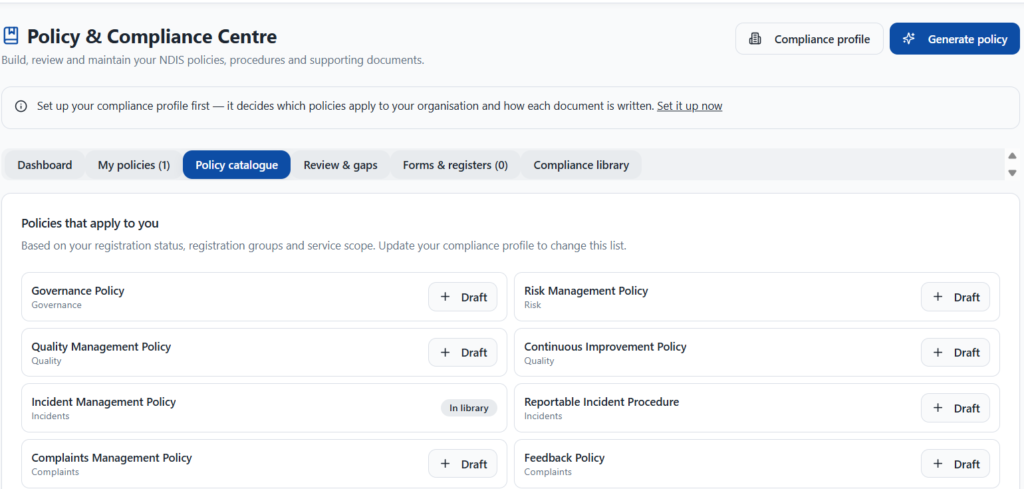
To begin, the catalogue lists the policies that apply to you, based on your registration status, registration groups and service scope. For example, it covers governance, risk management, quality management, continuous improvement, incident management, reportable incidents, complaints, feedback and privacy. Also, each policy has a Draft button, so you can start it straight away. Meanwhile, the dashboard shows your policy coverage, approved policies, reviews due in the next 60 days and missing policies.
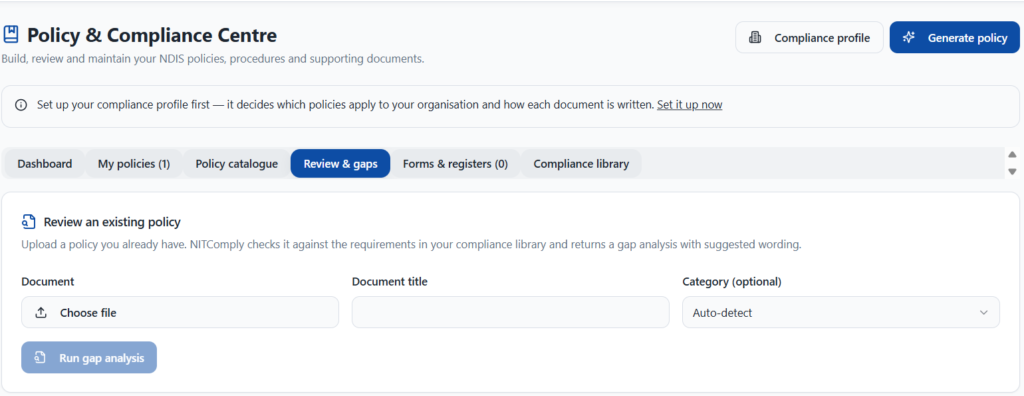
Already have policies? Upload one, and NITComply checks it against the requirements in your compliance library. Then it returns a gap analysis with suggested wording. In addition, a coverage score shows how much of the requirement set the document addresses. However, this score is an internal indicator, not a regulator’s assessment.
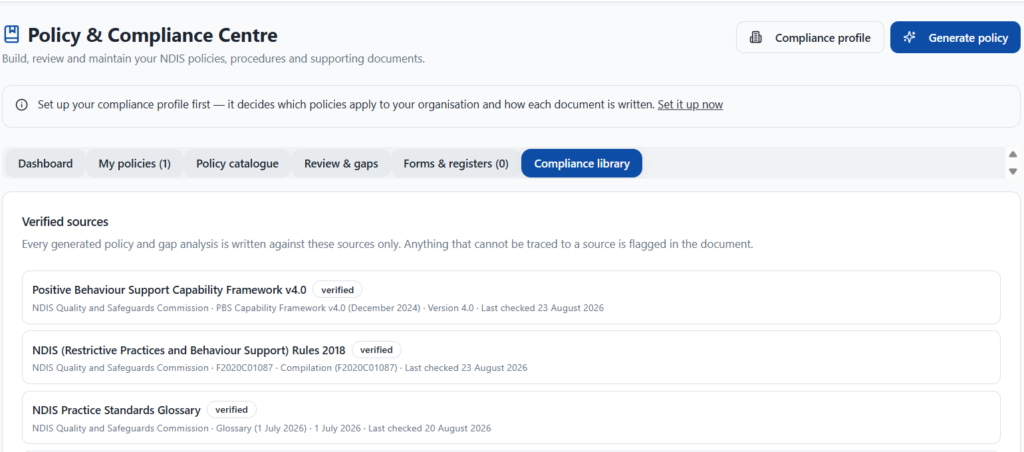
Importantly, every generated policy and gap analysis is written against a library of verified sources from the NDIS Quality and Safeguards Commission. For instance, these include the NDIS Practice Standards Glossary and the Restrictive Practices and Behaviour Support Rules. Also, anything that cannot be traced to a source is flagged in the document. Finally, you can create forms and registers from a policy’s Associated documents tab.
First, set up your compliance profile.
Then draft the policies that apply to you.
Next, upload existing policies for a gap analysis.
Finally, track versions and upcoming review dates.
In short, you see the policies that apply to your registration status, registration groups and service scope.
Yes. Just upload a policy, and then NITComply returns a gap analysis with suggested wording.
Book a demo and we'll show you how NITComply can help with your NDIS policies and procedures.