
NITComply is NDIS progress notes software that helps your team write clear case notes, flag risks early and track participant goals.
Progress notes are a key record of the supports you deliver. However, notes kept on paper or in chat apps are hard to find and easy to miss. NITComply keeps every case note with the participant’s record. As a result, managers can see concerns sooner and reports are quicker to prepare.
Workers can use voice-to-text on their phone.
Also, Save & Analyse flags incidents, hazards and risks.
Link notes to the participant’s goals and progress.
Generate participant reports from recorded notes.
First, pick the date of support and a note format, such as the recommended freeform format. A format guide shows what to include. For example, staff record the supports delivered, the participant’s response, outcomes, concerns and next steps. You can also attach files to a note.
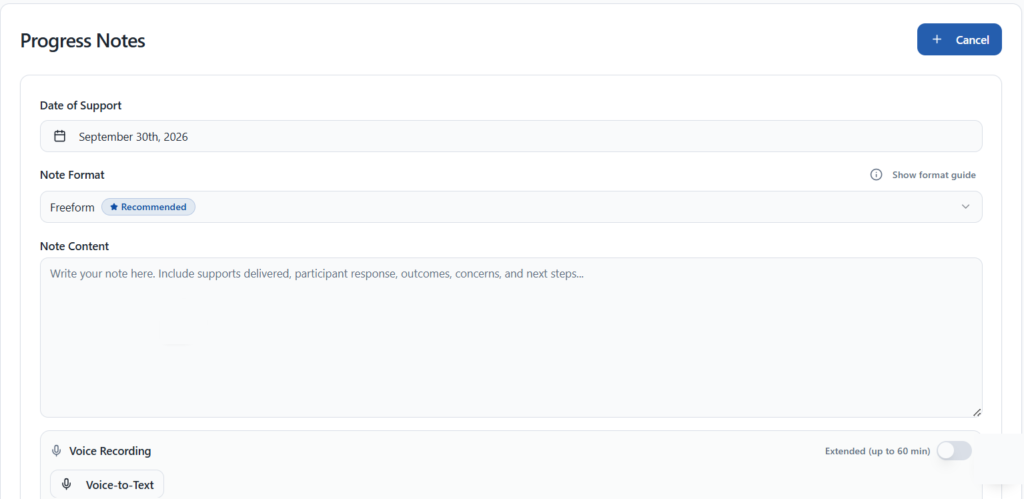
Support workers can use voice-to-text on their phone during or after a shift. In addition, an extended recording mode allows up to 60 minutes. So workers spend less time typing and more time on support.

When staff choose Save & Analyse, NITComply checks the note for possible incidents, hazards or risks. It then flags them for management as Staff Note Alerts on the dashboard, grouped by severity. As a result, managers can review concerns and decide what action to take.
Each participant’s goals show their type, source, status and progress. You can link historical notes to a goal. You can also extract goals from a document, such as a plan. Therefore, the team can see how daily support connects to what the participant wants to achieve.
You can generate participant reports from recorded notes for required reports, such as progress reports. Likewise, Support Coordinators can record coordination activities on the Timeline and turn them into progress notes. Staff then review the content before they use it.
First, type the note or use voice-to-text.
Then NITComply checks for incidents, hazards and risks.
Next, managers review Staff Note Alerts on the dashboard.
Finally, link notes to goals and generate reports.
Yes. Support workers can use voice-to-text on their phone during or after a shift.
It checks the note for possible incidents, hazards or risks and flags them for management as Staff Note Alerts. Managers then decide what action to take.
Yes. You can generate participant reports from recorded notes, then review them before you use them.
Book a demo and we'll show you how NITComply makes NDIS progress notes simpler.