
NDIS document expiry tracking in NITComply keeps every date in view. You set the documents each participant and worker needs. Then you can see what is current, expiring soon or already expired. The documents stay with the record they belong to.
NDIS providers hold documents that do not stay valid forever. These include NDIS Commission worker checks and clearances, qualifications, insurances, participant plans, consents and service agreements. Each one has its own date, and those dates rarely line up. When the dates live in a spreadsheet or in someone’s memory, checking them becomes a manual sweep. Open the folder, check the file, ask the worker, repeat. NITComply puts those dates next to the records they belong to. As a result, NDIS document expiry tracking lets your team look at the current position rather than rebuild it.
You set which documents a participant or worker must hold. That way, the same expectation applies across your organisation instead of varying by team.
NITComply holds each document and its expiry date against the participant or worker it belongs to. There is no separate list to keep in step.
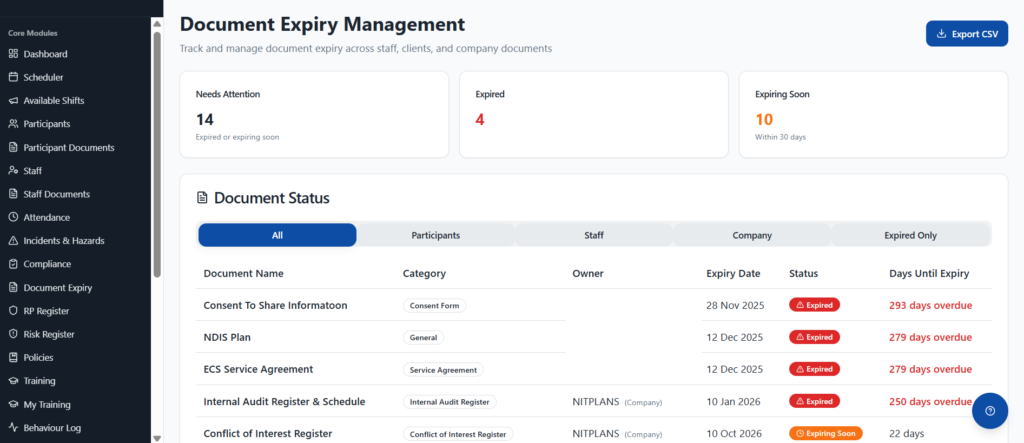
Each record shows the status of its documents. So you can see what is still valid, what is close to expiry and what has already expired.
Because the document and its date sit together, finding the right version is a quick search. See how this fits with NDIS document management. There is no need to hunt through drives and inboxes.
First, you set up document requirements in NITComply. This is where you decide which documents apply to participants and which apply to workers. It is also where you choose whether a document has an expiry date at all. That means every new worker or participant record starts with the same expectations. Gaps then show up as missing requirements instead of being noticed by chance.
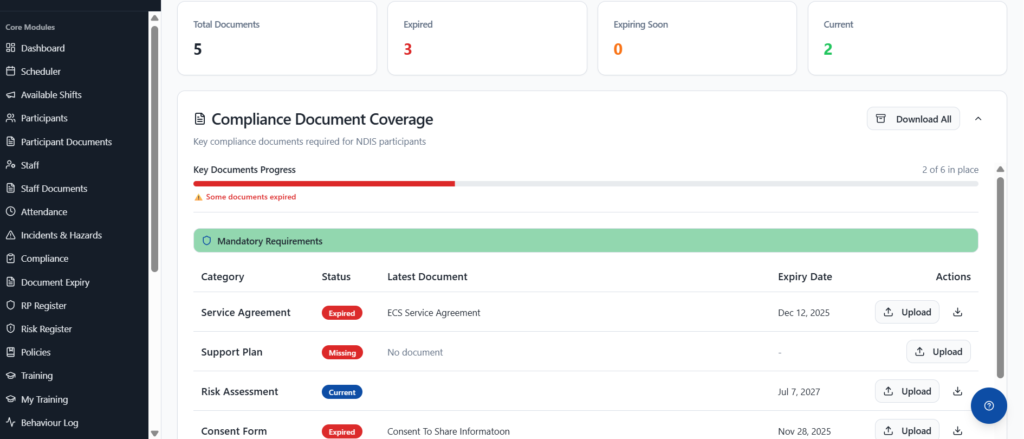
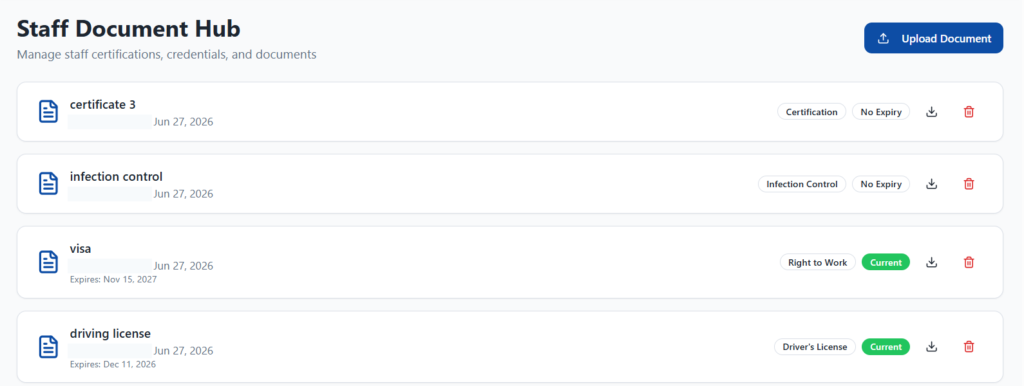
Staff and participant document hubs list each person’s documents with their expiry dates and status. Your team can review one person or work through a list without opening files one by one. You can also check a worker’s coverage in place. It shows which required documents they hold and which are still outstanding.
With NDIS document expiry tracking, a compliance view counts how many documents are current, expiring soon or expired across your records. This gives managers a starting point for the week instead of a spreadsheet to reconcile. A document counts as expiring soon when it expires within the next 30 days. The same alerts appear on the dashboard, in the Document Expiry section and in the participant and staff document sections. So your team sees the position wherever they already work. The counts come from the documents and dates your team has recorded in NITComply.
Workers can view their own compliance documents in their account. When a document is renewed, they can supply the updated version themselves. The current file then reaches the right record, instead of arriving as an email attachment that someone has to file later.
Decide which documents participants and workers must hold, and which of those carry an expiry date.
Upload the document to the participant or worker it belongs to and record its expiry date.
Use the document hubs and the compliance view to see what is current, expiring soon or expired.
Workers supply a renewed document against the same record, so your team always sees the current version.
Yes. A worker can see their own compliance documents in their account and supply an updated file against their record.
Tell us which documents your organisation has to keep current. We will show you how document expiry tracking would work across your participant and worker records.