
The NITComply NDIS funded supports checker lets your team search a support and quickly see its funding status (Funded, Conditional or Not Funded), with AI guidance on why.
Participants and families often ask whether the NDIS will pay for a support. Answering usually means searching long guidelines and past emails. As a result, staff can give different answers to the same question. NITComply puts NDIS funded supports in one searchable place. That way, your team can check a support, see its status and read the reasoning before they reply.
For official guidance, visit the NDIS website.
Type a word such as meal, respite, hotel or transport to find matching supports.
Each result shows a Funded, Conditional or Not Funded badge.
Results show the related support category, for example Core – Daily Activities.
Ask AI about a support to see why the NDIS usually funds it or not, plus suggested alternatives.
The NDIS Funded Supports page has one search bar. Staff type a support, such as meal preparation, therapy or transport, and NITComply lists the top results. Each result shows the support name and its related category. For example, a search for meal returns Assistance with meal preparation and Household tasks.
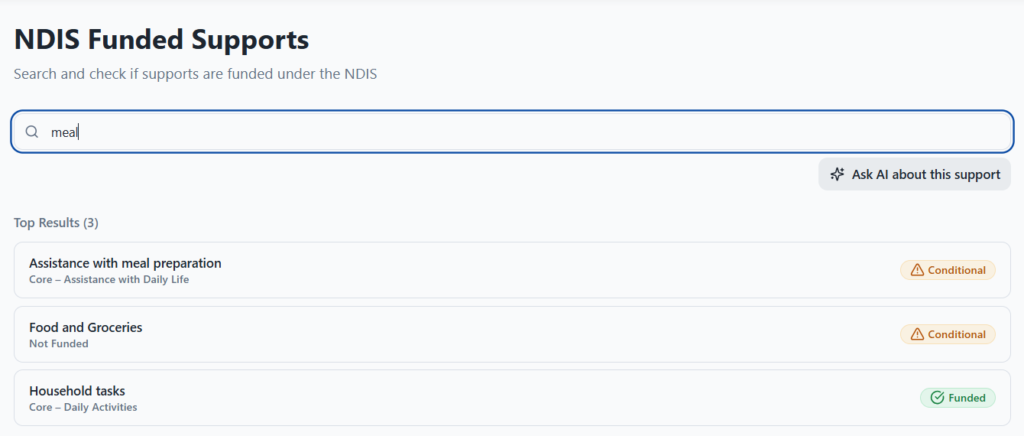
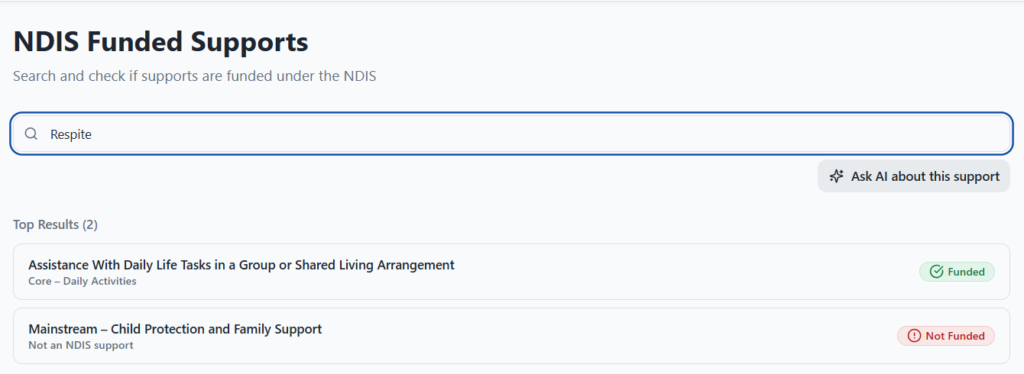
Every result carries a colour-coded badge. Funded means the NDIS generally pays for the support. Conditional means it depends on the participant’s situation. Not Funded means it is usually outside the NDIS, such as a mainstream service. As a result, staff can see the likely answer at a glance.
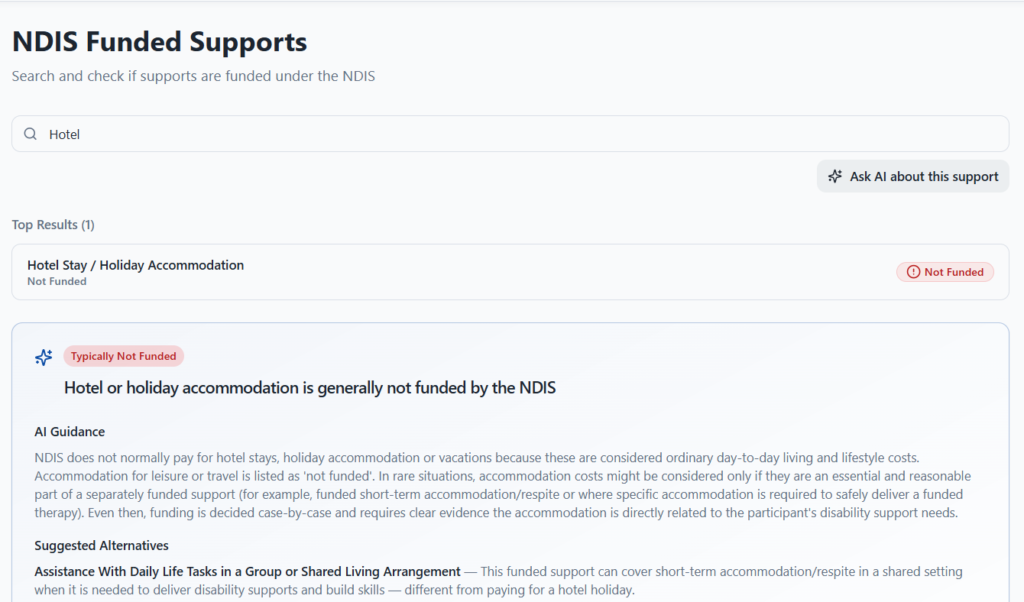
When a status needs more explanation, staff can select Ask AI about this support. NITComply then explains why the NDIS generally pays for the support or not. It also suggests related supports that may fit instead. For example, the guidance for a hotel stay explains that holidays are usually ordinary living costs and points to options like short-term accommodation. However, the NDIA decides funding case by case, so the guidance supports your team’s judgement rather than replacing it.
First, type the support you want to check.
Then read the Funded, Conditional or Not Funded badge.
Next, ask AI to explain the reasoning and suggest alternatives.
Finally, use the guidance when you talk with the participant.
No. It shows whether the NDIS generally funds a support. The NDIA still decides funding case by case under each participant's plan.
Conditional means the NDIS may fund the support in some situations, depending on the participant's disability-related needs.
Yes. The AI guidance lists suggested alternatives when the NDIS usually does not fund a support.
Book a demo and we'll show you how the NITComply funded supports checker would help your team answer funding questions.