
NITComply NDIS meeting software lets you run secure video meetings with staff, participants and their representatives, then turn AI notes into approved meeting minutes.
Providers hold many meetings, such as plan reviews, team check-ins and family catch-ups. However, notes often end up in inboxes, notebooks or someone’s memory. As a result, decisions and actions are hard to find when an auditor asks. Our NDIS meeting software keeps the meeting, the notes and the follow-up in one place. That way, your team has a clear record of what everyone discussed and agreed.
For guidance on provider obligations, visit the NDIS Quality and Safeguards Commission.
Also, guests join through a secure link, without needing a login.
Invite staff, participants or their representatives, and link the meeting to a participant.
NITComply creates a summary, risks, decisions and action items from the meeting.
Staff check and approve the notes before NITComply saves them to the meeting history.
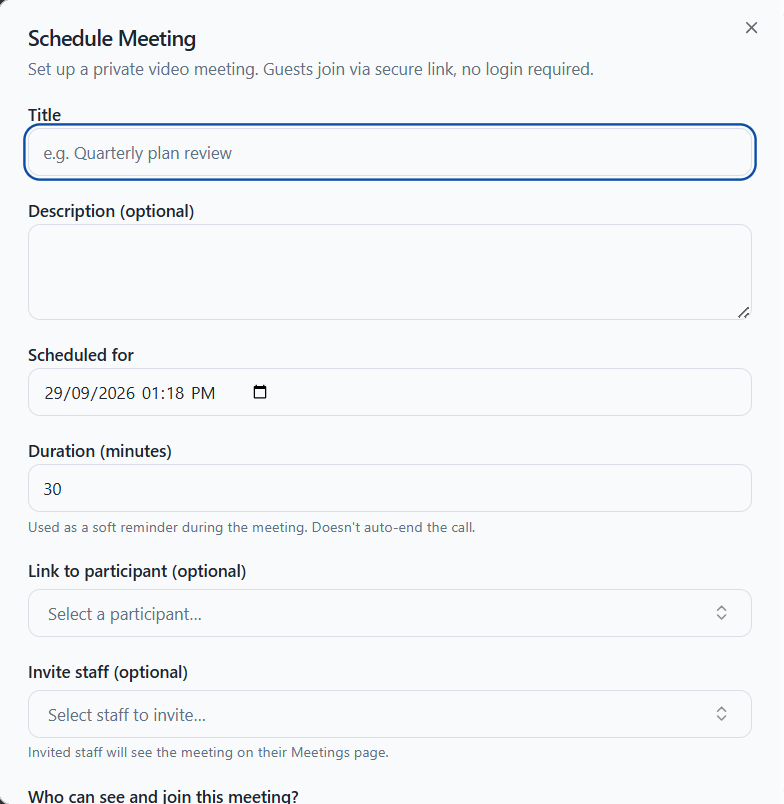
To start, staff schedule a meeting with a title, an optional description, a date and a duration. The duration works as a soft reminder, so the call does not end on its own. You can also link the meeting to a participant and invite staff. Invited staff then see the meeting on their Meetings page. You can also invite participants or their representatives, and guests join through a secure link without a login.
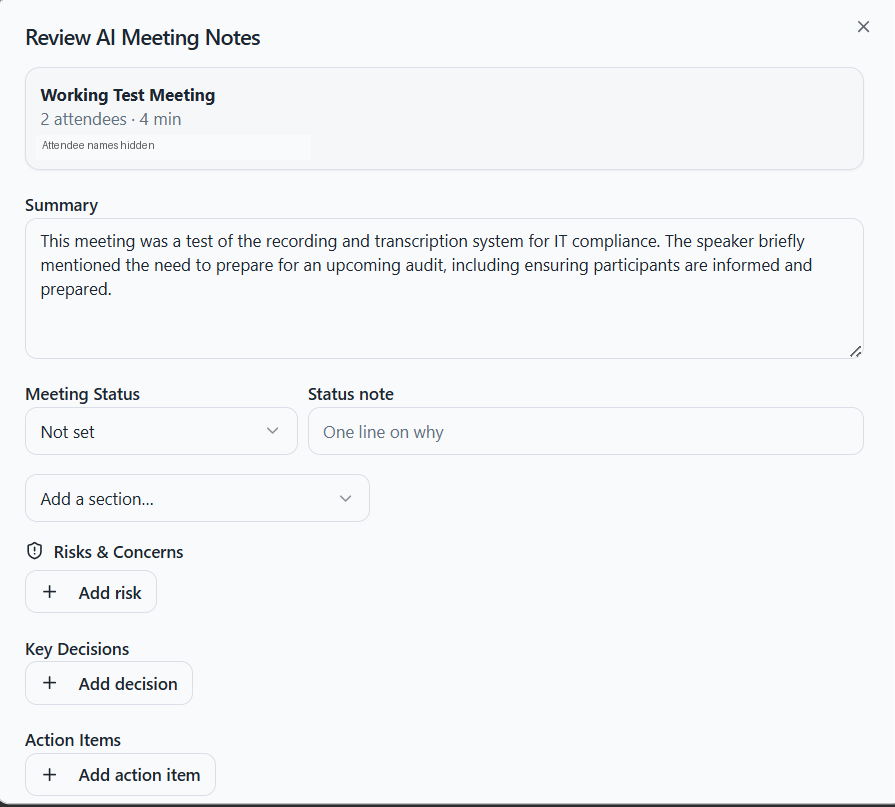
After the meeting, NITComply prepares AI meeting notes that can serve as your minutes. The notes include a summary, a meeting status of On track, Needs attention or Urgent, and a short status note. In addition, staff can add Risks and Concerns, Key Decisions and Action Items, and set a next review date.
First, staff review the AI notes and select Approve and Save. NITComply then saves the approved notes to the meeting history. Meanwhile, the Meetings page lists each meeting with its date and length, and a Notes button opens its minutes. In addition, you can show cancelled meetings when you need them.

First, add the details and invite staff, participants or representatives.
Then everyone joins through the secure link.
Next, check the summary, risks, decisions and action items.
Finally, approve the notes so they become part of the meeting history.
No. Guests join through a secure link and do not need a login.
In short, you can invite staff, participants or their representatives.
Yes. Staff review the AI notes, make changes and approve them. NITComply then saves them to the meeting history.
Book a demo and we'll show you how NITComply meetings and AI minutes would work for your team.