
NITComply is NDIS participant onboarding software that captures a new participant’s details, needs and preferences in one guided intake form.
Taking on a new participant often means paper intake forms, emails and details kept in different places. As a result, staff can start shifts without knowing what matters to the person. NITComply keeps intake in one place. For example, you record their NDIS details, communication needs and support needs in a single form. Then that profile is ready for the whole team.
A step-by-step form covers every key detail.
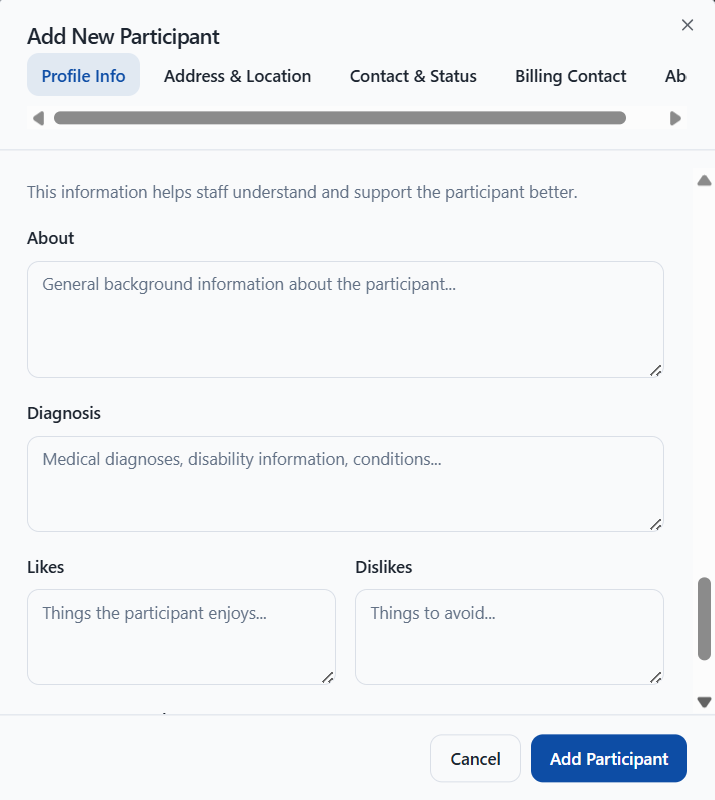
Also, record likes, dislikes and key support needs.
The home address can become their service location.
Choose who invoices go to from the start.
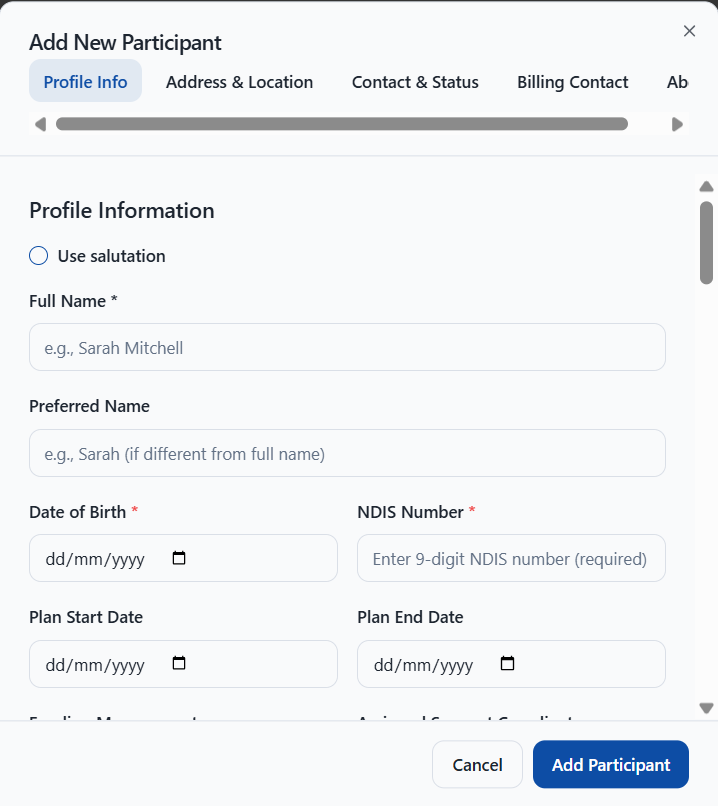
First, enter the participant’s full name, preferred name and date of birth. You also record their 9-digit NDIS number, plan start and end dates, funding management type and assigned Support Coordinator. In addition, you can note their gender, nationality and Aboriginal or Torres Strait Islander status.
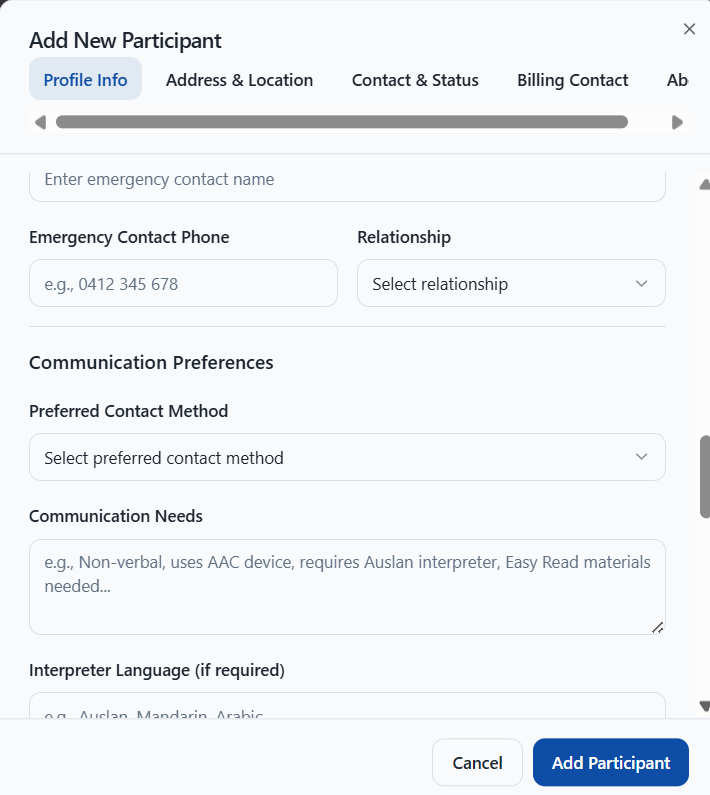
Next, add the participant’s preferred contact method and communication needs. For example, you can note that they are non-verbal, use an AAC device, need an Auslan interpreter or need Easy Read materials. You can also record an interpreter language. Emergency contact details are optional, so you can add them later from the participant’s profile.
The About section helps staff understand and support the participant better. For instance, you record their background, diagnosis, likes, dislikes and key support needs. As a result, workers know what matters to the person before they deliver support.
You can use the participant’s address as their default service location. NITComply then creates or reuses a Participant Home location, so shifts use the right address. Likewise, you set a billing contact as the default target for invoices from their activities, and you can change it before an invoice is finalised. In addition, the service types you select set the participant’s required documents automatically.
After intake, you can invite the participant or their guardian to the participant portal, where they can view their shifts and roster. Also, if you are moving from another system, you can import existing participant records into NITComply.
First, enter their NDIS and plan details.
Then add communication and support needs.
Next, choose their service location and billing contact.
Finally, invite the participant or guardian to view their roster.
The full name, date of birth and 9-digit NDIS number are required. Other details can be added as you go.
Yes. Emergency contact details are optional during intake and can be added later from the participant's profile.
Yes. You can import existing participant records when you move to NITComply.
Book a demo and we'll show you how NITComply makes NDIS participant onboarding simpler.