
NITComply gives NDIS providers a restrictive practices register, a step-by-step behaviour support log and a workspace for specialist behaviour support practitioners, all in one place.
Restrictive practices need careful records. However, many teams still keep them in spreadsheets, paper forms and email. As a result, it is hard to see which practices were authorised, who reported them and what happened before and after.
NITComply keeps these records together. That way, your team records each practice once and can find it again when it is needed for a review or an audit.
Record any type of restrictive practice per participant, and mark whether it was authorised.
Staff record what happened before, during and after a behaviour in five short steps.
The log asks which less restrictive options were tried before a restrictive practice was used.
Export authorised and unauthorised practices as separate CSV files, or as a PDF report.
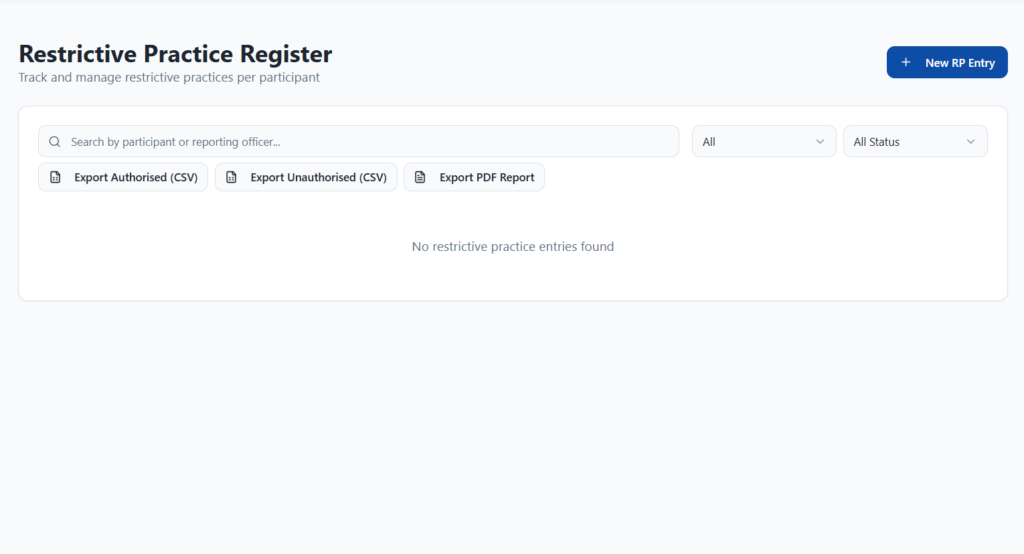
The Restrictive Practice Register tracks restrictive practices for each participant. For each entry, you choose the participant, the date and the type of restrictive practice, and you record the reporting officer. You can also mark whether the practice was authorised. Then you add the incident details. Later, you can search by participant or reporting officer and filter by type and status. In addition, you can export authorised and unauthorised practices as separate CSV files, or download a PDF report.
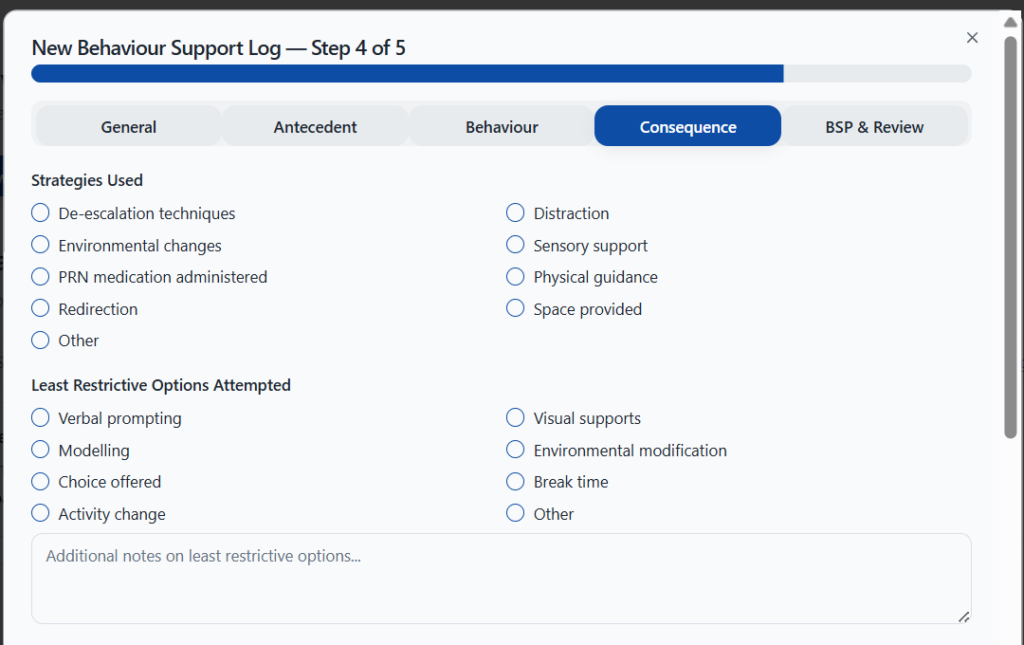
The Behaviour Support Log records Antecedent-Behaviour-Consequence (ABC) events in five steps. First, staff enter the general details, such as the site, the setting and who was present. Next, they record setting events and the immediate trigger. Then they choose a behaviour category and intensity, and note whether injuries, property damage or a restrictive practice occurred. After that, they record the strategies used and the least restrictive options tried. Finally, they note whether a behaviour support plan is on file, with review notes and the next review date.
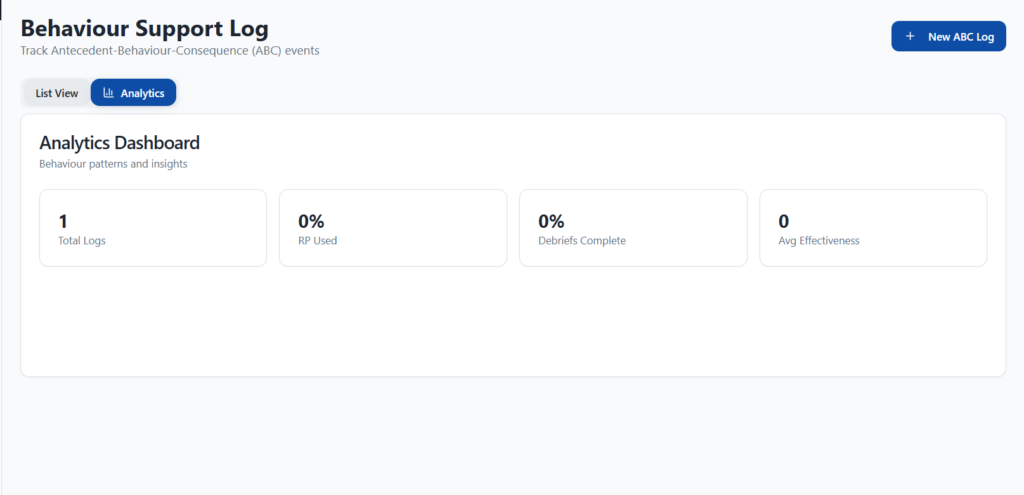
The Analytics tab shows the total number of behaviour logs and how often a restrictive practice was used. It also shows how many debriefs are complete and the average effectiveness of the strategies used. Meanwhile, the list view lets you search logs, filter by category and intensity, and export them as a CSV file.
Specialist Behaviour Support is a workspace for NDIS behaviour support practitioners. It covers assessment, behaviour support plans, restrictive practice reduction and outcomes. For example, you can assign participants to a lead practitioner and supporting practitioners from the Caseload tab. The Module 2 guidance tab also lets practitioners search the NDIS guidance for specialist behaviour support.
First, staff complete a five-step ABC log after a behaviour of concern.
Then add an entry to the register with the type, date and reporting officer.
Next, the team leader or practitioner adds review notes and a next review date.
Finally, export authorised and unauthorised practices, or download a PDF report.
All types. You choose the type of restrictive practice when you add a new entry.
Yes. Each entry is marked as authorised or not, and you can export each group as its own CSV file.
ABC stands for Antecedent, Behaviour and Consequence. The log records what happened before, during and after a behaviour, so patterns are easier to see.
Yes. Specialist Behaviour Support covers assessment, behaviour support plans, restrictive practice reduction and outcomes.
Book a demo and we'll show you how the NITComply restrictive practices register and behaviour support log would work for your services.