
NITComply NDIS document management software keeps participant and staff documents in one place, so you can see what is in place and what is missing.
Typically, NDIS providers hold many documents for each participant and each worker. However, folders and email attachments make it hard to see what is missing. As a result, gaps often show up only at audit time, when the NDIS Quality and Safeguards Commission expects clear records. NITComply gives every person a clear checklist. That way, your team can see at a glance which documents are current, missing or expired.
In short, each participant and staff member has their own document dashboard.
As a result, a progress bar shows how many required documents are in place.
Also, you choose which documents each person needs.
Likewise, staff can upload their documents from My Account.
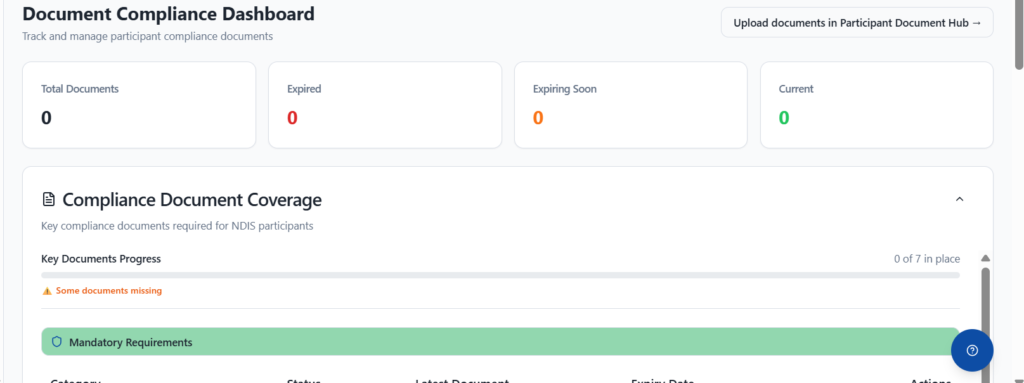
Each participant has a Document Compliance Dashboard. For example, it shows total, expired, expiring soon and current documents. In addition, a coverage bar shows how many key documents are in place, such as 0 of 7. Below it, a checklist also lists each mandatory document, such as the service agreement, support plan, risk assessment, consent form and emergency plan. As well, each item shows its status, the latest document, the expiry date and an Upload button.
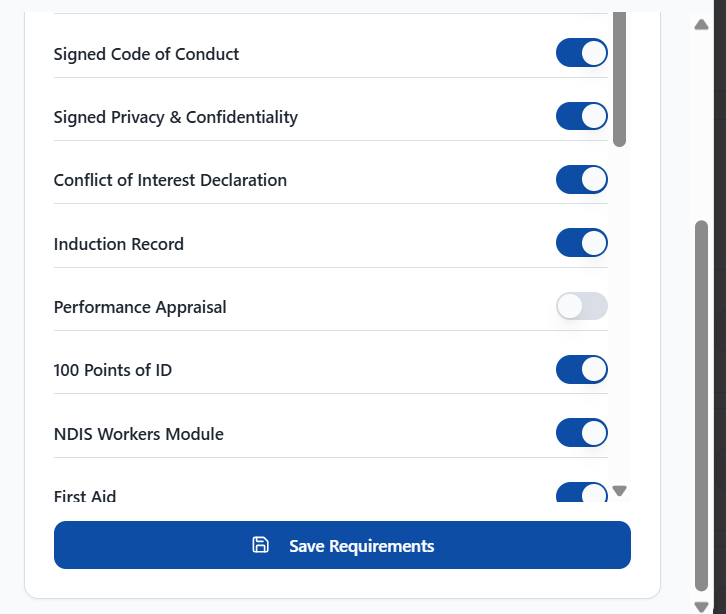
First, you decide which documents are required. For participants, you can set requirements by service type or by hand, for example an NDIS plan, behaviour support plan or medical document. Similarly, staff requirements are simple switches, such as contract, code of conduct, induction record, staff training records, 100 points of ID, NDIS Workers Module and first aid. Then you save the requirements, and the checklist updates.
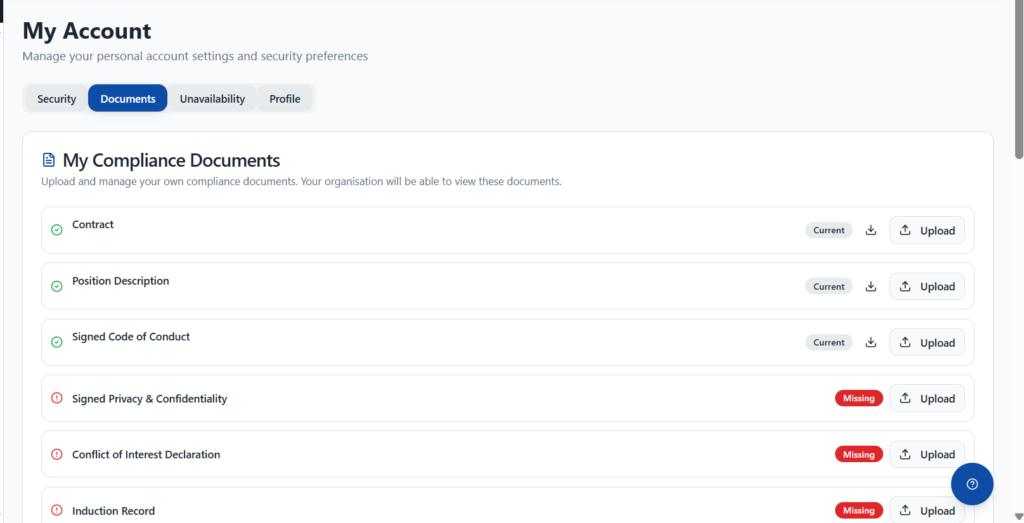
To start, staff open My Account and upload their own compliance documents, and your organisation can view them. For example, a worker can add their NDIS Worker Screening, Working With Children Check or police check. In addition, each item shows one of four statuses: Current, Missing, Expired or Not Applicable. You can also filter documents by current, expiring soon, expired or no expiry. Meanwhile, forms completed with Digital Forms stay with the person’s record.
First, switch on the documents each person needs.
Then your team and staff upload documents against each item.
Next, review the dashboard to see what is missing.
Finally, keep every document with the right person’s record.
Yes. In fact, staff upload documents from My Account, and your organisation can view them.
Yes. In fact, you switch requirements on or off for each participant and staff member.
Yes. For instance, each document can show an expiry date. Our Document Expiry Tracking page explains this in detail.
Book a demo and we'll show you how NITComply document management would work for your team.