
NITComply is NDIS worker onboarding software that helps you add new staff, invite them in and collect their compliance documents in one place.
Onboarding a new worker often means emails, paper forms and a checklist in someone’s head. As a result, documents go missing and access is set up by hand. NITComply keeps the steps together. For example, you add the worker, give them a role and send an invite. Then they finish their own details from their account. Learn more about document management, staff training and rostering. For worker screening rules, see the NDIS Quality and Safeguards Commission.
New workers accept an invite and create their own password.
Each role decides what the worker can see.
Also, workers upload their own compliance documents, screening checks and qualifications.
You can assign shifts while onboarding is still going.
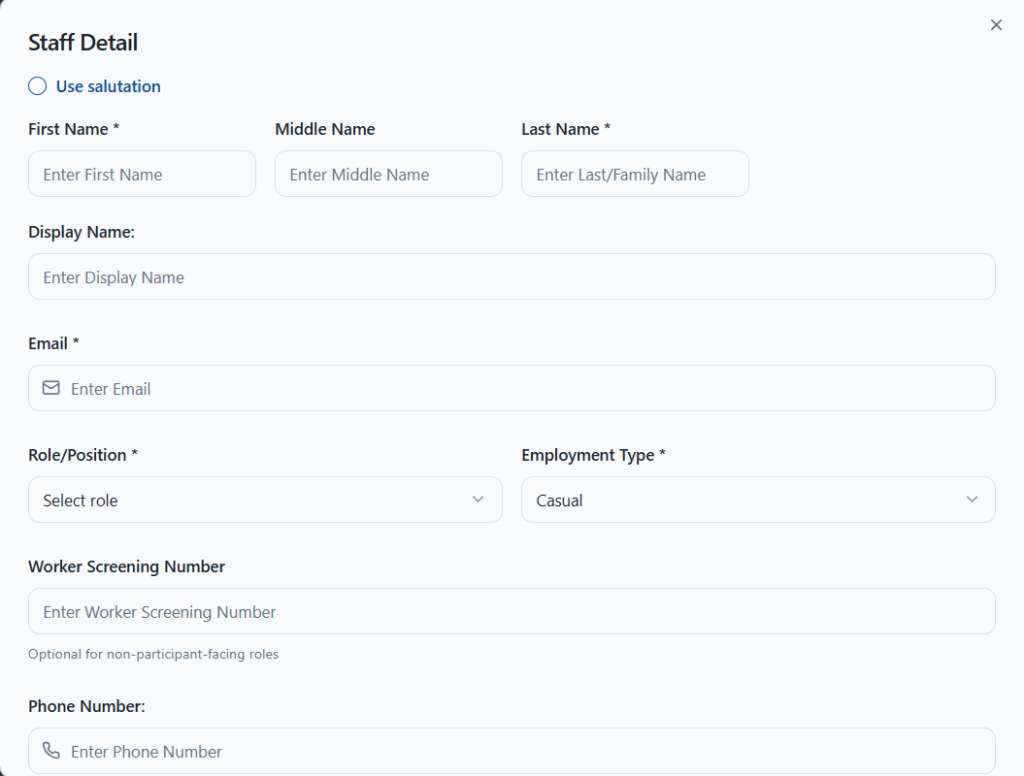
First, add the worker’s name, email, role or position, employment type and phone number. You can also record their Worker Screening Number, which is optional for roles that don’t work with participants. Then NITComply sends an invite email. The worker accepts it and creates their login password. In addition, you can resend the invite from their profile at any time.
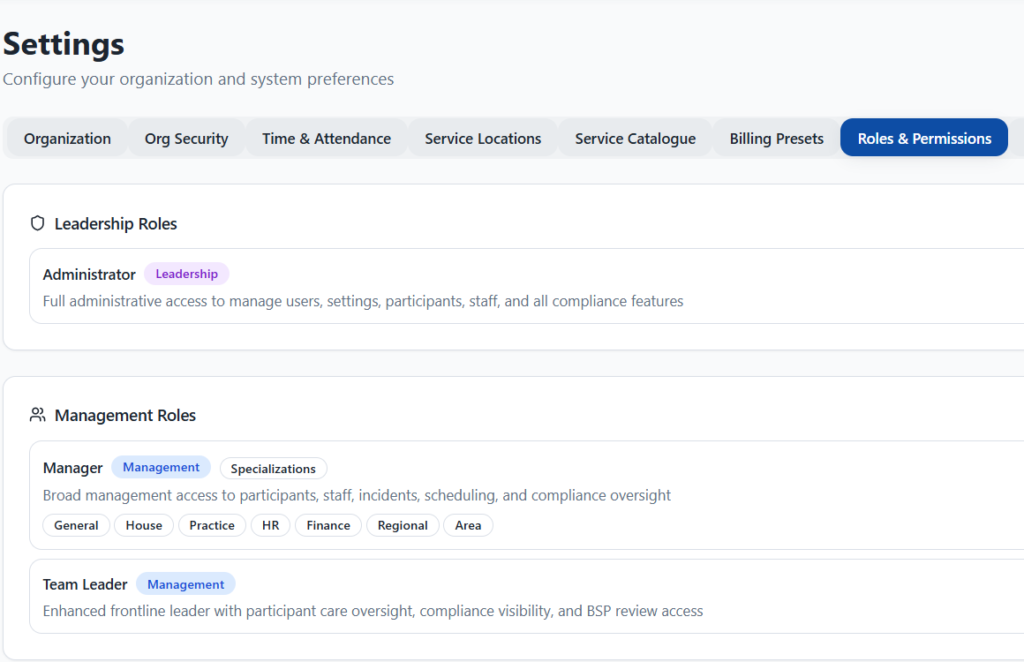
You set the worker’s role before the invite goes out. Roles sit in six groups: leadership, management, support, specialist, administrative and oversight. For example, a support worker sees care-critical documents only, while an external auditor gets read-only access. As a result, each person sees what their job needs and nothing more.
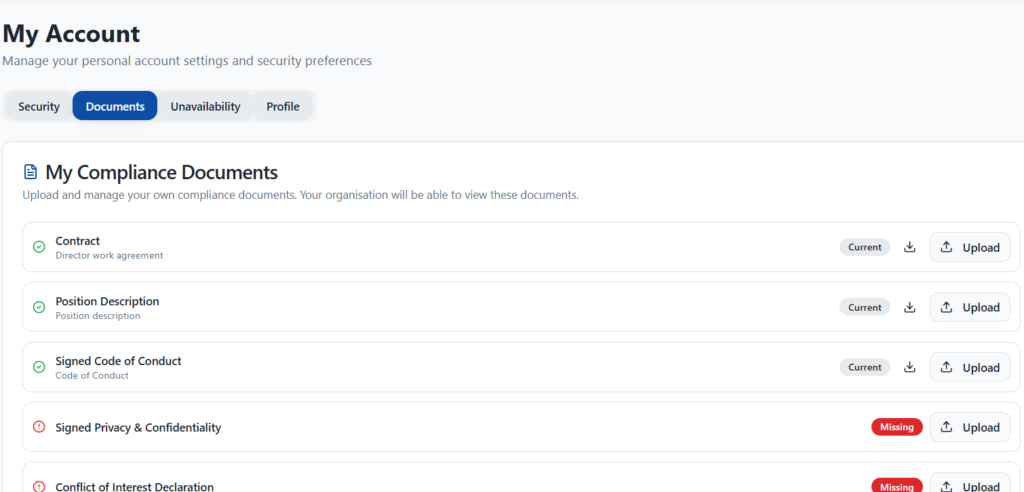
From My Account, workers upload their own compliance documents, such as their contract, code of conduct and screening checks. Each item shows whether it is current or missing, and your organisation can view them. Workers can also record times they can’t work and turn on two-factor login with a code sent by email.
Training can be assigned during and after onboarding, using courses such as induction and the NDIS Code of Conduct. Meanwhile, the worker can already be given shifts while onboarding continues. In addition, you can import existing staff records from another system when you move to NITComply.
In addition, NITComply tracks each worker’s credentials and qualifications as part of onboarding. For example, you can record their NDIS Worker Screening Check, Working With Children Check, police check, right to work and driver’s licence. Likewise, you can keep qualifications and certificates such as a Certificate III, first aid and infection control training.
Each item shows a clear status: Current, Missing, Expired or Not Applicable. As a result, you can see at a glance what a worker still needs. Each saved credential also keeps its expiry date, and our document expiry tracking shows what needs renewing.
First, enter their details and choose their role.
Then the worker accepts it and creates a password.
Next, the worker uploads their compliance documents.
Finally, assign training during and after onboarding.
They get an invite email, accept it and create their own login password.
Yes. You can assign shifts while onboarding is still going.
Yes. You can import existing staff records when you move to NITComply.
Yes. You can track screening checks, qualifications and certificates, each with a status and expiry date.
Book a demo and we'll show you how NITComply makes NDIS worker onboarding simpler.