
NITComply’s NDIS software features bring together all critical NDIS compliance, workforce, participant, and financial functions into one integrated platform, eliminating the need for spreadsheets and disconnected systems. In addition, each tool supports the NDIS Practice Standards.
01
Governance & Compliance Intelligence
These NDIS software features help you stay audit-ready. Above all, it is designed around the NDIS Practice Standards & Quality Indicators.
Also, see your organisation’s compliance position at a glance.
✔ Live compliance status overview
✔ Outstanding actions and risks highlighted
✔ Expiring documents and incidents flagged
✔ Executive-level visibility for audits and reviews
Designed to support proactive compliance management.
In addition, centralise and manage all compliance obligations in one place.
✔ Track compliance items against NDIS standards
✔ Assign actions and responsible roles
✔ Monitor progress and completion status
✔ Maintain a clear audit trail
Supports both verification and certification audits.
Similarly, capture, track, and resolve NDIS incidents — without audit stress.
✔ Report incidents and hazards
✔ Attach evidence and supporting documentation
✔ Track follow-up actions and outcomes
✔ Maintain audit-ready logs
Designed to meet NDIS Quality & Safeguards Commission requirements.
Likewise, manage restrictive practices in line with regulatory expectations.
✔ Record restrictive practices and behaviour support details
✔ Track authorisations and review dates
✔ Maintain compliance evidence
✔ Support behaviour support oversight
Aligned with restrictive practices obligations.
As a result, maintain accurate records of behaviour support interventions.
✔ Log behaviour support activities
✔ Attach plans and related documentation
✔ Support evidence-based decision-making
✔ Ensure ongoing compliance monitoring
Supports person-centred and evidence-based practice.
Then, replace paper forms with digital forms your team completes in NITComply.
✔ Build and fill in forms online
✔ Keep completed forms with the person's record
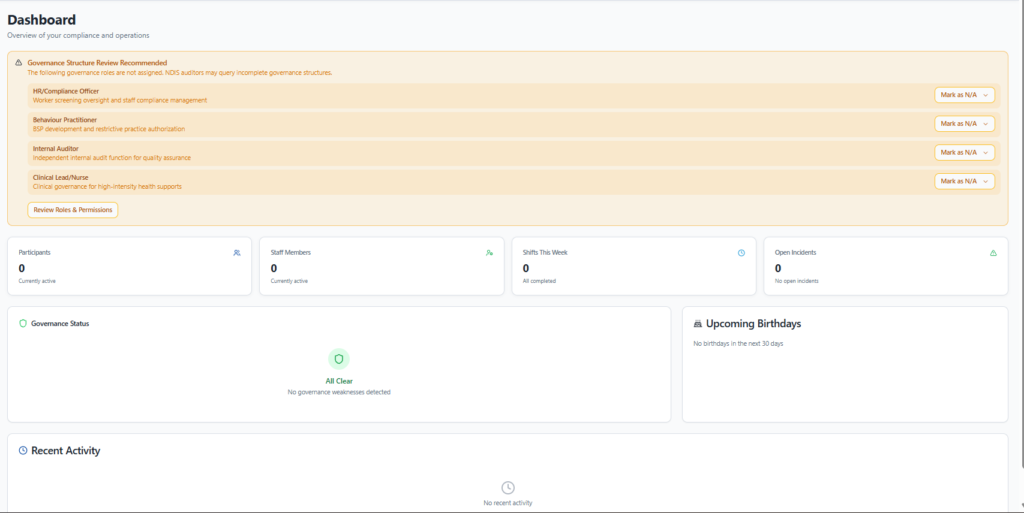
Among the core NDIS software features, the NITComply Dashboard provides an instant, at-a-glance overview of your NDIS compliance status, highlighting key areas needing attention and upcoming deadlines. Then, from here, you can quickly access important tasks, review outstanding actions, and monitor your overall progress towards maintaining NDIS regulations with ease. As a result, this central hub empowers you to proactively manage compliance, ensuring your organization consistently meets its NDIS obligations.
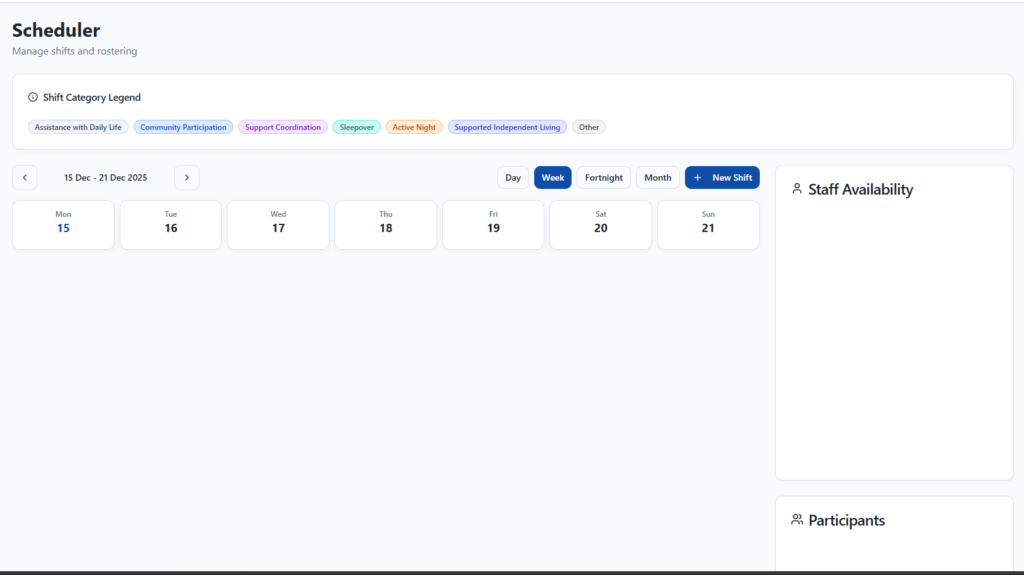
First, the Scheduler page in NITComply empowers you to efficiently manage your NDIS support worker appointments and client schedules. In addition, you can easily create, view, and modify bookings, ensuring optimal resource allocation and preventing scheduling conflicts. Because of this, the feature directly supports NDIS compliance by maintaining accurate records of services delivered, enabling transparent reporting and efficient service delivery.
02
Meanwhile, plan and manage staff shifts with confidence.
✔ Create and assign shifts
✔ Track attendance and service delivery
✔ Reduce rostering errors
✔ Maintain workforce visibility
Provides clear evidence of service delivery.
Above all, ensure workforce compliance at all times.
✔ Store staff credentials and documents
✔ Track worker screening and qualifications
✔ Monitor document expiry dates
✔ Support workforce audits
Strengthens staff credential compliance.
In short, never miss critical document renewals.
✔ Automated alerts for expiring documents
✔ Reduce compliance gaps
✔ Support proactive renewal management
✔ Maintain continuous compliance
Designed to reduce audit risk.
For this reason, record attendance and fill open shifts faster.
✔ Staff clock in and out of shifts
✔ Offer available shifts to your team
✔ Turn completed shifts into invoices
Equally, train and track your NDIS workforce in one place.
✔ Assign NDIS training courses to staff
✔ Track completions and training records
Besides, hold secure meetings and keep clear minutes.
✔ Invite staff, participants or their representatives
✔ Guests join by secure link, no login
✔ AI notes serve as meeting minutes
03
Also, store and manage participant records securely.
✔ Centralised participant documentation
✔ Controlled access based on staff roles
✔ Easy retrieval for audits and reviews
✔ Secure data handling
Supports privacy and safeguarding obligations.
In addition, maintain clear and consistent service delivery records.
✔ Record participant engagement and supports delivered
✔ Support person-centred documentation
✔ Enable evidence-based reporting
✔ Improve continuity of care
Aligned with best-practice documentation standards.
Similarly, identify and manage participant-specific risks.
✔ Record and review participant risks
✔ Support safeguarding strategies
✔ Document risk controls and actions
✔ Maintain audit-ready evidence
Strengthens participant safety.
Likewise, track progress toward participant goals.
✔ Record NDIS goals and objectives
✔ Link services to outcomes
✔ Support outcome-focused reporting
✔ Demonstrate progress over time
Supports person-centred and outcome-based practice.
As a result, receive and manage new participant enquiries.
✔ Receive leads for the supports you offer
✔ Manage enquiries from first contact to intake
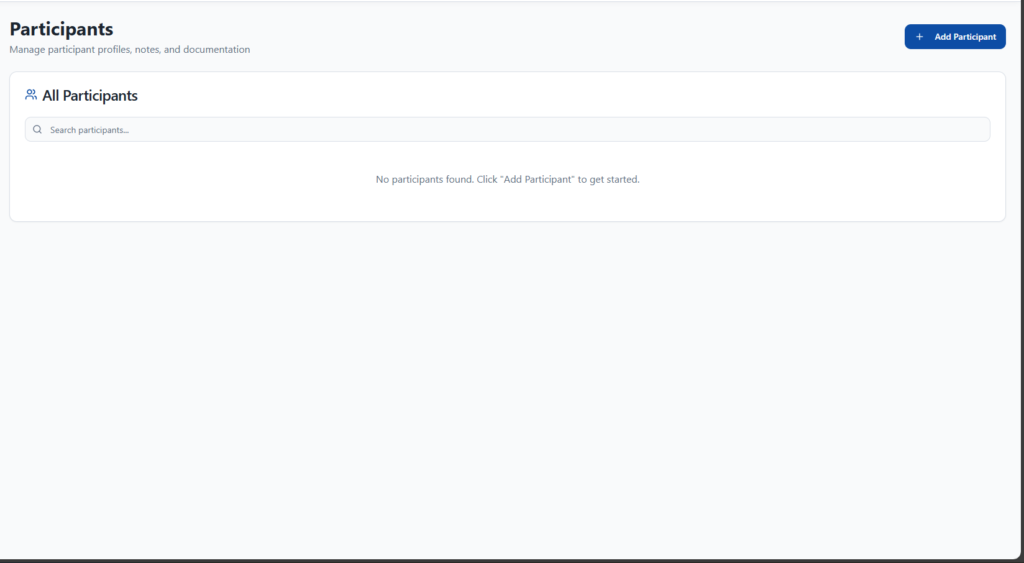
As part of our NDIS software features, the “Participants” page in NITComply provides a centralized hub for managing all your NDIS participant information. For example, you can easily add new participants, update their details, and access their individual compliance records, ensuring accurate and up-to-date client management crucial for NDIS reporting. As a result, this streamlined approach helps you maintain comprehensive participant profiles, simplifying audits and demonstrating your commitment to high-quality support.
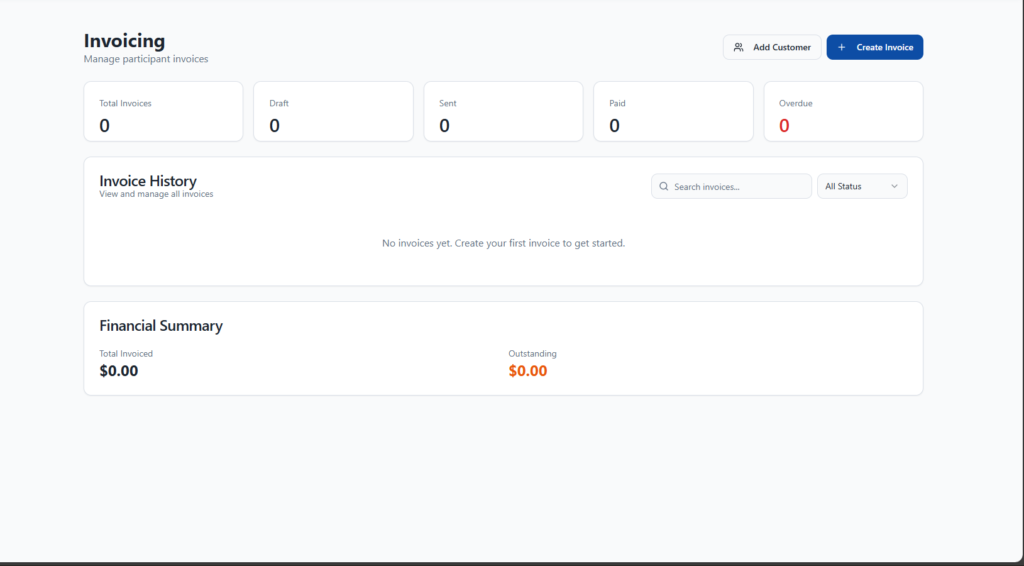
Similarly, the Invoicing page in NITComply streamlines your NDIS billing by enabling seamless creation and management of invoices, complete with detailed line items and client information. For example, generate one-off or recurring invoices with ease, ensuring accurate financial records and simplifying your NDIS claim submissions. In turn, this ensures you maintain meticulous financial transparency and adhere to NDIS funding regulations effortlessly.
04
Then, generate accurate invoices with ease.
✔ Create invoices linked to service delivery
✔ Reduce billing errors
✔ Improve financial transparency
✔ Support audit reviews
Aligned with NDIS billing expectations.
Meanwhile, monitor funding and prevent overspending.
✔ Track participant budgets in real time
✔ View remaining funding at a glance
✔ Support informed service planning
✔ Reduce funding shortfalls
This feature differentiates NitComply from generic care platforms.
Above all, check whether a support is usually funded under the NDIS.
✔ Search supports such as meals or respite
✔ See Funded, Conditional or Not Funded at a glance
✔ Ask AI why, with suggested alternatives
05
NITComply’s reporting tools transform your day-to-day operational data into structured, professional reports that meet NDIS audit, governance, and operational requirements. For example, reports can be generated by date range, participant, staff member, or service category, eliminating manual collation and spreadsheet-based reporting.
Designed to reduce audit preparation time and improve organisational oversight.
In short, generate detailed service delivery records with confidence.
✔ Create service delivery logs by participant, staff, or date range
✔ Produce monthly, quarterly, or custom-period reports
✔ Align logs with typical NDIS audit review periods
✔ Maintain clear evidence of services delivered
Supports audit verification of service delivery activities.
For this reason, prepare complete audit documentation in minutes — not weeks.
✔ Compile key compliance and operational reports in one pack
✔ Support verification and certification audits
✔ Reduce last-minute audit stress
✔ Present clear, organised evidence to auditors
Designed to streamline NDIS audit preparation.
Equally, gain insight into incidents, trends, and follow-up actions.
✔ Analyse incidents and hazards over selected periods
✔ Identify recurring issues and risk patterns
✔ Track resolution actions and outcomes
✔ Support continuous improvement reviews
Strengthens incident oversight and governance reporting.
Besides, identify gaps, anomalies, and attendance issues quickly.
✔ Detect missed shifts and attendance discrepancies
✔ Review exceptions by staff or participant
✔ Support workforce accountability
✔ Maintain evidence for operational reviews
Supports service integrity and workforce monitoring.
Also, understand how services are delivered across your organisation.
✔ View shifts grouped by service category
✔ Analyse workforce allocation
✔ Support service planning and resourcing decisions
✔ Improve operational visibility
Useful for operational reporting and internal reviews.
In addition, generate reports tailored to support coordination requirements.
✔ Produce implementation and progress reports
✔ Track coordination activities and outcomes
✔ Support reporting obligations to participants and stakeholders
✔ Maintain clear documentation trails
Designed for support coordination providers and teams.
Similarly, turn raw data into actionable insights.
✔ Generate AI-assisted summaries of compliance and operations
✔ Identify trends and emerging risks
✔ Support informed decision-making
✔ Reduce time spent interpreting data
Provides intelligent oversight without manual analysis.
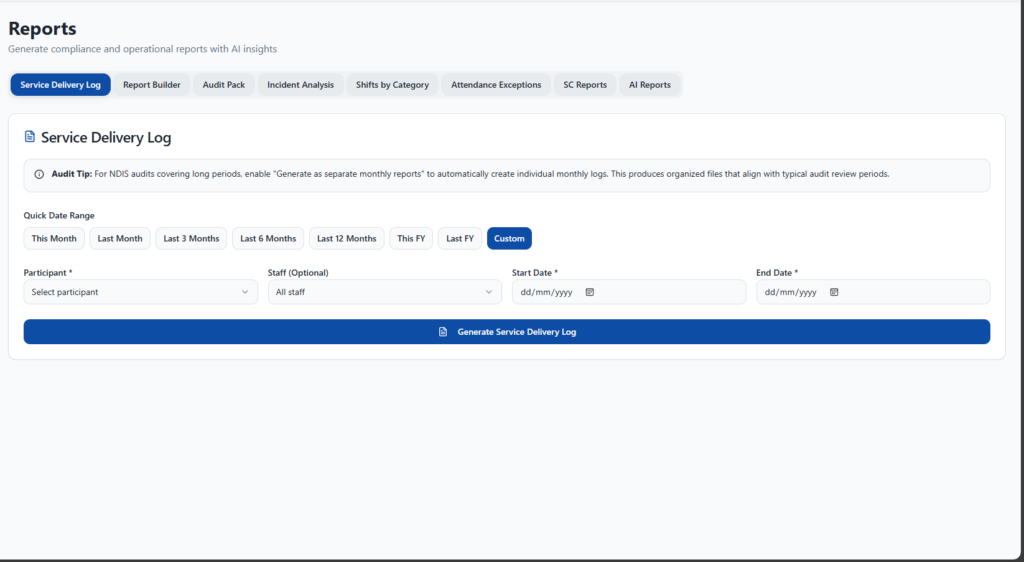
Of all the NDIS software features, the Reports page in NITComply provides a central hub for all your NDIS compliance reporting needs. For instance, you can easily generate detailed logs of service delivery, attendance records, and incident analysis to gain critical insights. As a result, this robust reporting functionality empowers you to proactively monitor operations and effortlessly produce audit-ready documentation, ensuring seamless NDIS compliance.